日々のコミュニケーションに欠かせない電子メールですが、私たちが画面上で操作しているのはメールクライアント(MUA: Message User Agent)と呼ばれるソフトウェアです。これは単にメールを読み書きするツールではなく、背後にあるサーバーと複雑なプロトコルを用いて連携し、メッセージの送受信を管理する重要な役割を担っています。
メールクライアントには、PCにインストールして使用する専用ソフトのほか、ブラウザ経由で利用するWebメール形式のものまで多様な形態が存在します。
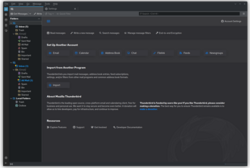
Key Facts
- MUA (Mail User Agent):ユーザーがメールを操作するためのインターフェース(クライアントソフト)。
- POP3:サーバーからメールをダウンロードしてローカルに保存する方式。
- IMAP:サーバー上でメールを管理し、複数のデバイス間で同期させる方式。
- SMTP:メールを送信し、サーバー間で転送するための標準プロトコル。
- TLS/SSL:通信経路を暗号化し、パスワードや本文の盗聴を防ぐ技術。
メールの受信と管理の仕組み
メールクライアントは、ユーザーが起動した際にリモートにあるMTA (Mail Transfer Agent) サーバーに接続し、メッセージを取得します。サーバー側ではMDA (Mail Delivery Agent) が届いたメールをユーザーごとの「メールボックス」に格納しており、クライアントはここからデータを読み出します。
受信プロトコルの違い:POP3とIMAP
メールをサーバーから取得する方法には、主に2つの異なるアプローチがあります。
- POP (Post Office Protocol):メールを1通ずつローカルストレージにダウンロードします。通常、保存後にサーバーから削除されるため、単一のデバイスで管理する場合に適していますが、既読・未読の状態を他のデバイスと共有することはできません。
- IMAP (Internet Message Access Protocol):メールをサーバー上に保持したまま閲覧します。フォルダ構造やフラグ(既読・未読など)がサーバー側で管理されるため、スマートフォンとPCなど、複数の端末から同じメールボックスを同期して利用するのに最適です。また、リアルタイム更新を可能にする「idle拡張」機能も備えています。
なお、近年ではHTTPベースのJSON APIを利用したJMAP (JSON Meta Application Protocol) が、IMAPやSMTPに代わる効率的な選択肢として開発されています。
メールの作成と送信プロセス
ユーザーがメッセージを作成すると、クライアントはRFC 5322(ヘッダーと本文の形式)およびMIME(添付ファイルや非テキスト形式の定義)という規格に従ってデータを整形します。宛先(To, Cc, Bcc)や差出人(From, Reply-To)などのヘッダー情報が適切に付与され、必要に応じてアドレス帳やLDAPディレクトリサーバーから連絡先が参照されます。
送信プロトコルとポート番号
作成されたメールは、SMTP プロトコルを用いて送信サーバー(MSAまたはMTA)へ送られます。現代のメール送信では、セキュリティ確保のために以下のポートが使い分けられています。
- ポート 465:接続開始時からTLSによる暗号化を行う「Implicit TLS」方式。中間者攻撃のリスクを低減できるため、推奨される設定です。
- ポート 587:STARTTLSを用いて接続後に暗号化へ移行する方式。一般的ですが、攻撃者がSTARTTLSコマンドを妨害した場合、平文で送信されるリスクがあります。
- ポート 25:本来はサーバー間のリレー用であり、スパム対策のため多くのプロバイダーでクライアントからの送信はブロックされています。
セキュリティと暗号化技術
暗号化されていないメールは、いわば「絵葉書」のような状態で、ネットワーク上の第三者が内容やパスワードを容易に盗み見ることができます。これを防ぐために、2つのレベルで暗号化が行われます。
通信経路の暗号化
SSL/TLSなどの技術を用いて、クライアントとサーバー間のセッション全体を暗号化します。これにより、認証情報(ユーザー名・パスワード)の漏洩を防ぎます。また、SSHポートフォワーディングを利用して暗号化トンネルを作成し、安全にメールを取得する方法もあります。
メッセージ本文の暗号化(エンドツーエンド)
通信経路だけでなく、メールの内容自体を暗号化する方法です。主に以下の2つのモデルがあります。
- S/MIME:信頼された認証局 (CA) が発行する証明書に基づいた公開鍵基盤を利用します。
- OpenPGP:ユーザー同士が互いの鍵を署名し合う「信頼の輪 (Web of Trust)」モデルを採用しており、より柔軟な運用が可能です。
注意点として、これらの方式で暗号化されるのは「本文」のみであり、件名や宛先などのヘッダー情報は平文のまま残ります。
Webメールの特性
専用ソフトをインストールせず、ブラウザで利用するWebメールは、場所を問わずアクセスできる利便性があります。内部的にはサーバー上のメールを直接操作しており、IMAPと同様にデータはサーバーに保持されます。
| 項目 | POP3 | IMAP / Webメール |
|---|---|---|
| データの保存場所 | 主にローカルデバイス | 主にメールサーバー |
| 複数デバイス同期 | 困難(不便) | 容易(最適) |
| オフライン作業 | 得意 | 限定的(キャッシュ依存) |
| プライバシー | ローカル管理で高くなる | サーバー管理者のアクセスリスクあり |
主要プロトコルとポート番号まとめ
| プロトコル | 用途 | 標準ポート (平文/STARTTLS) | 暗号化専用ポート (Implicit TLS) |
|---|---|---|---|
| POP3 | 受信 | 110 | 995 |
| IMAP4 | 受信 | 143 | 993 |
| SMTP / MSA | 送信 | 587 (Submission) | 465 |
| HTTP | Webメール | 80 | 443 |
Frequently Asked Questions
POP3とIMAPのどちらを使うべきですか?
1台のPCのみでメールを管理し、サーバーの容量を節約したい場合はPOP3が適しています。一方で、スマホとPCなど複数の端末で同じメールを管理し、既読状態などを同期させたい場合はIMAPを強く推奨します。
ポート465と587の違いは何ですか?
どちらも送信に使用されますが、465は接続直後から暗号化を行うためより安全です。587は接続後に暗号化へ切り替える(STARTTLS)方式であり、設定によっては暗号化されないリスクがあるため、可能であれば465の利用が推奨されます。
メール本文を暗号化すれば完全に安全ですか?
S/MIMEやOpenPGPで本文を暗号化しても、メールの「件名」や「送信元・送信先」などのヘッダー情報は暗号化されません。誰が誰にいつメールを送ったかというメタデータは、依然としてネットワーク上で視認可能です。
Webメールのデメリットはありますか?
最大の制限は、基本的にインターネット接続が必須である点です。専用クライアントのようにメールをローカルに保存してオフラインで下書きを作成したり、高度なフィルタリングをローカルで高速に行ったりすることは困難です。
MIMEとは何のための規格ですか?
もともと電子メールはテキスト形式のみを想定して設計されていました。MIME (Multipurpose Internet Mail Extensions) は、画像、音声、PDFなどのバイナリファイルを添付したり、異なる文字コードを扱ったりすることを可能にするための拡張規格です。
References
- C. Hutzler; D. Crocker; P. Resnick; E. Allman; T. Finch (November 2007). "Message Submission Authentication/Authorization Technologies". Email Submission Operations: Access and Accountability Requirements. . sec. 5. :10.17487/RFC5068. BCP 134. 5068. Retrieved 24 August 2011.
This document does not provide recommendations on specific security implementations. It simply provides a warning that transmitting user credentials in clear text over insecure networks SHOULD be avoided in all scenarios as this could allow attackers to listen for this traffic and steal account data. In these cases, it is strongly suggested that an appropriate security technology MUST be used.
- , p. 353: "Like SMTP, POP3 is unencrypted. Unlike SMTP, however, it needs authentication: Users have to identify themselves and prove they're who they claim to be. Unfortunately, the authentication usually consists of presenting a username and a password known only to the user and the POP3 server. Because the POP3 dialogue is unencrypted, an eavesdropper can obtain a user's username and password and reuse them to access the user's mailbox. So, plain POP3 exposes the contents of the mail messages the user retrieves, and it exposes their username and password, which can then be reused by someone else.
Wrapping the POP3 dialogue with transport-layer security such as SSL solves both of these problems. Because SSL-wrapped POP3 sessions are encrypted from beginning to end, no messages, usernames, or passwords are exposed in cleartext.
The optional POP3 command,APOP, replaces the standardUSER/PASSauthentication with a challenge-response authentication mechanism. This solves the problem of the disclosure of reusable passwords, but does nothing to prevent eavesdroppers from reading users' mail messages as they're being retrieved." - Updated Transport Layer Security (TLS) Server Identity Check Procedure for Email-Related Protocols. . :10.17487/RFC7817. 7817.
- Flickenger, Rob (2003). Linux Server Hacks: 100 Industrial-Strength Tips & Tools. O'Reilly Media. p. 146. .
In addition to providing remote shell access and command execution, OpenSSH can forward arbitrary TCP ports to the other end of your connection. This can be very handy for protecting email, web, or any other traffic you need to keep private (at least, all the way to the other end of the tunnel).
ssh accomplishes local forwarding by binding to a local port, performing encryption, sending the encrypted data to the remote end of the ssh connection, then decrypting it and sending it to the remote host and port you specify. Start an ssh tunnel with the -L switch (short for Local):root@laptop:~# ssh -f -N -L110:mailhost:110 -l user mailhost
Naturally, substitute user with your username, and mailhost with your mail server's name or IP address. Note that you will have to be root on the laptop for this example since you'll be binding to a privileged port (110, the POP port). You should also disable any locally running POP daemon (look in /etc/inetd.conf) or it will get in the way.
Now to encrypt all of your POP traffic, configure your mail client to connect to localhost port 110. It will happily talk to mailhost as if it were connected directly, except that the entire conversation will be encrypted. - "Is IMAP Right for Me?". IT Services. . 4 March 2010. Archived from the original on 30 April 2010. Retrieved 14 April 2013.
- "User-Agent". Netnews Article Format. . November 2009. sec. 3.2.13. :10.17487/RFC5536. 5536.
Some of this information has previously been sent in non-standardized header fields such as X-Newsreader, X-Mailer, X-Posting-Agent, X-Http-User-Agent, and others
- J. Palme (February 1997). "Use of gatewaying headers". Common Internet Message Headers. . sec. 2. :10.17487/RFC2076. 2076. Retrieved May 11, 2015.
Headers defined only in RFC 1036 for use in Usenet News sometimes appear in mail messages, either because the messages have been gatewayed from Usenet News to e-mail, or because the messages were written in combined clients supporting both e-mail and Usenet News in the same client. These headers are not standardized for use in Internet e-mail and should be handled with caution by e-mail agents.
- Cyrus Daboo (March 2011). Use of SRV Records for Locating Email Submission/Access Services. . :10.17487/RFC6186. 6186. Retrieved 17 April 2013.
- Keith Moore; Chris Newman (January 2018). Cleartext Considered Obsolete: Use of Transport Layer Security (TLS) for Email Submission and Access. . :10.17487/RFC8314. 8314. Retrieved 12 February 2018.